
Birchbrook · Self-service Operational Intelligence
Operations Collection · $149
See unresolved work.
Give it a next action.
Small-business operations often depend on the owner remembering which estimate needs a follow-up, which job has not been invoiced and which handoff is still waiting. Birchbrook’s operational-control systems help you organize responsibility and act on those exceptions.
Launch status: Purchase access is being prepared. Checkout is not yet open. The prices below are the approved one-time launch prices.
See the workbook viewsCompare individual controls
The flagship
Birchbrook Operations Collection — $149
Bring revenue, delivery and owner oversight into one coordinated operating approach. One XLSX workbook contains Revenue, Delivery and Commitments controls plus a combined Owner Brief. A six-page PDF buyer guide explains setup, a weekly review and adaptable follow-up wording.
The individual controls total $217. The collection saves $68, approximately 31%, compared with buying them separately. $149 is the actual launch price.
$149 · Checkout not yet open
One purchasing business · XLSX workbook + PDF guide · digital download when sales open
Start with the problem you need to see

Revenue Control
$79 · one-time
Which estimates need attention? Which completed jobs still need an invoice? Which payments remain outstanding?
Record quote status, completed work, cumulative invoicing and payments. Calculated balances and attention flags help you find revenue-related next actions.
Explore Revenue Control →
Delivery Control
$79 · one-time
Who owns the work? Has the next person accepted the handoff? What is blocked or overdue?
Organize active work, responsible people, deadlines, next steps and receiving-person acceptance. Surface unresolved handoffs and recorded operational exceptions.
Explore Delivery Control →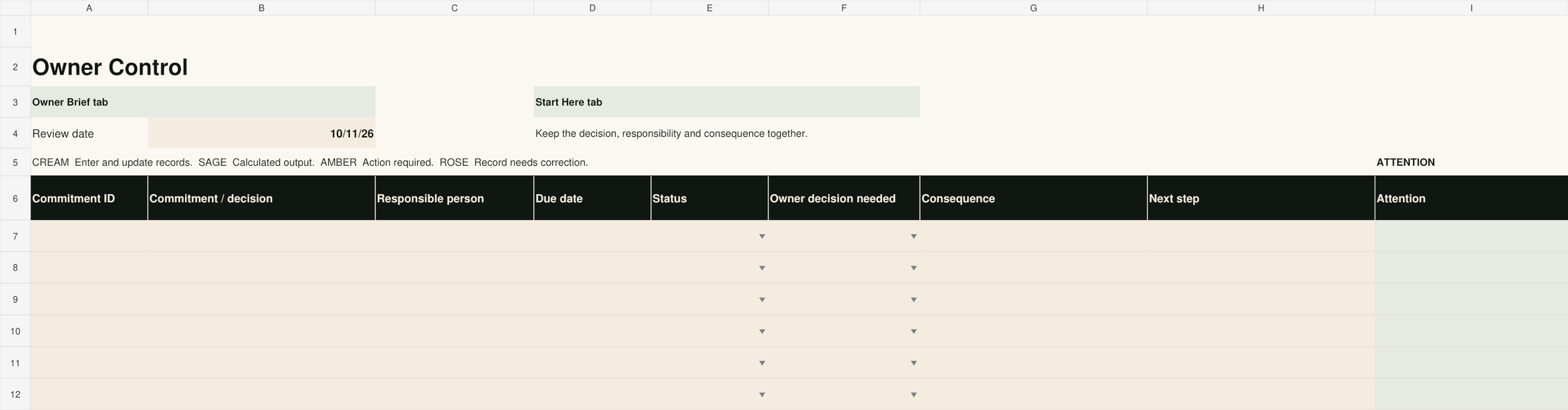
Owner Control
$59 · one-time
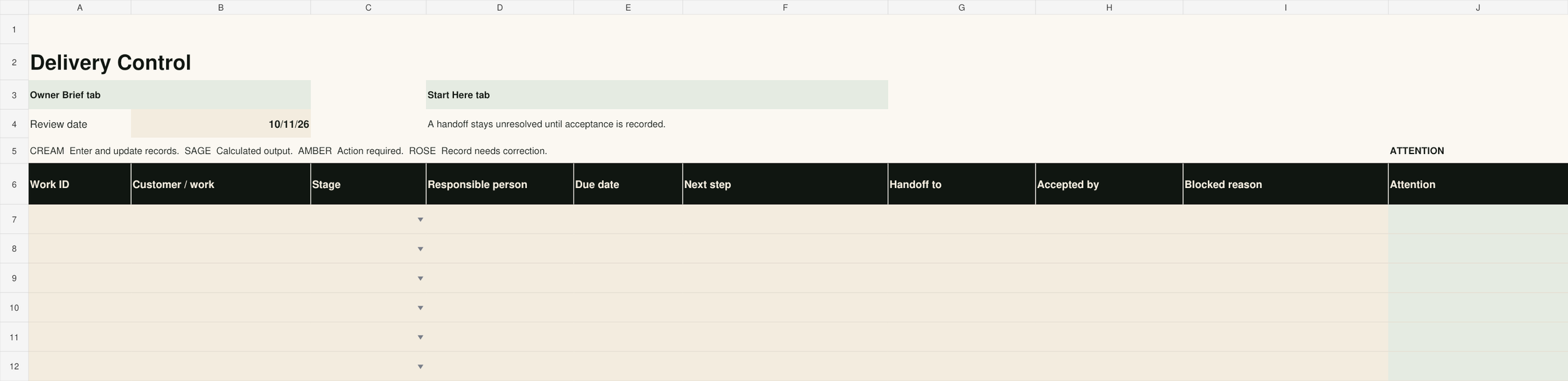
Which commitments need your attention? What decision is waiting? What happens if it stays unresolved?
Keep priorities, accountability, consequences and management next actions in view. Review the concise Owner Brief each week.
Explore Owner Control →Inside the collection
Three controls. One weekly view.
Revenue, Delivery and Commitments are separate worksheets in one workbook. The Owner Brief summarizes their recorded exceptions. Shared Work IDs are entered manually; records do not synchronize automatically.


How to track completed work that has not been invoiced
Keep one record for each job. Separate the completion date from the amount invoiced: finishing the work and asking for payment are different events. Each week, find completed records with no invoice amount, name the person who will invoice them and set the next action date.
Illustrative example: a $1,200 job is marked completed but its invoice amount is blank. Revenue Control flags “Invoice completed work.” For another job, $1,000 invoiced less $300 paid leaves $700 outstanding. These are demonstration amounts, not customer results.
A ten-minute weekly operations review
- Minutes 1–3: Review completed work awaiting invoicing and outstanding payments. Check the underlying records before acting.
- Minutes 4–6: Review blocks, due delivery actions and unaccepted handoffs. Ask the receiving person to confirm acceptance.
- Minutes 7–9: Review commitments and decisions needing owner judgment. Record a responsible person and a concrete next step.
- Minute 10: Close resolved items and set the next review. If the list cannot fit into ten minutes, address the oldest consequential exception first.
You can use this review with your existing records. Birchbrook’s controls provide the structure and attention flags; purchasing is not required to follow the method.
Practical answers before you choose
What software do I need?
A free Google account and Google Sheets are sufficient. Import the supplied XLSX and make a private working copy. Core formulas, dropdowns and formatting were verified after Google Sheets import. Excel desktop has not been tested.
What is automatic, and what stays manual?
Workbook formulas calculate balances and attention flags from your entries. You update records manually. There are no bank/accounting connections, automatic messages or synchronized records. The collection’s brief summarizes its three controls; enter consistent Work IDs yourself.
What are the limits?
Each control sheet has capacity for 199 records. Monetary fields use USD. Formula cells are visually distinguished, not locked. Live records begin blank; instructions include illustrative examples. This is an operational record, not accounting, tax or legal advice or a guarantee of financial results.
How will I receive and begin using it?
When checkout opens, purchases will be delivered as a ZIP through a secure download link. Unzip it, read the guide, import the XLSX into Google Sheets and enter your own records in the input columns. The collection’s automatic download was verified in a non-chargeable test. Sales remain closed while commercial setup is completed.
What does the license allow?
One purchasing business may use and adapt the files internally with its staff. Do not resell, redistribute or sublicense them. Consulting and customization are separate services.
What if I cannot download it or find a defect?
Contact hello@birchbrookoperations.com with your order number for download problems, defects or duplicate purchases. We will restore access or correct a defect; if it cannot be resolved, we will refund the affected purchase. Statutory consumer rights remain unaffected.
When the condition needs more than a self-service control
Birchbrook’s Operational Diagnostic examines the condition underneath operational strain. Build and Monitoring services follow where justified. A consultation is not a prerequisite for these products.